EXULTANT COMMERCE · FREE TOOLS
Free duplicate product ID checker
Find missing and repeated product IDs in a CSV or TSV feed. Review affected records before an import or catalog update.
EXULTANT COMMERCE · FREE TOOLS
← All toolsDuplicate ID checker
Find repeated product IDs in CSV or TSV exports.
Your results
Add your data and run the tool to view results.
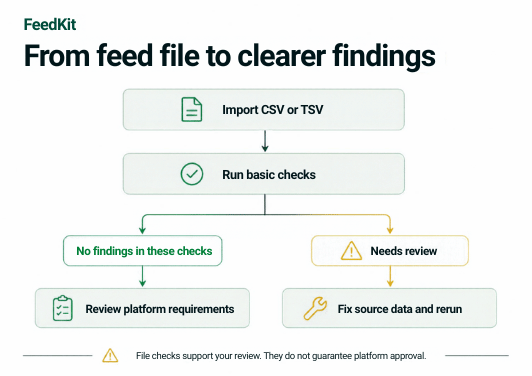
These are basic checks on the data you provide, not live account diagnostics or a guarantee of platform approval. Review market, category and Shop requirements separately.
Feed quality visual guides

How to check product IDs
- Upload or paste a feed with headers and an id column. Keep identifiers as text.
- Run the checker to identify missing IDs and IDs appearing more than once.
- Export the findings and investigate the source records before changing IDs or removing rows.
Understand the results
Use up to 10 MB and 20,000 records. The check compares submitted IDs; it does not determine which record is correct. Preserve stable identifiers where possible to avoid unintended product replacements.