EXULTANT COMMERCE · FREE TOOLS
Free product feed comparison tool
Compare an original feed with an updated export to see added products, removed products and changed field values. Use the differences to review a feed update before publication.
EXULTANT COMMERCE · FREE TOOLS
← All toolsFeed comparison
Find added, removed and changed products across two exports.
Your results
Add your data and run the tool to view results.
These are basic checks on the data you provide, not live account diagnostics or a guarantee of platform approval. Review market, category and Shop requirements separately.
Feed quality visual guides
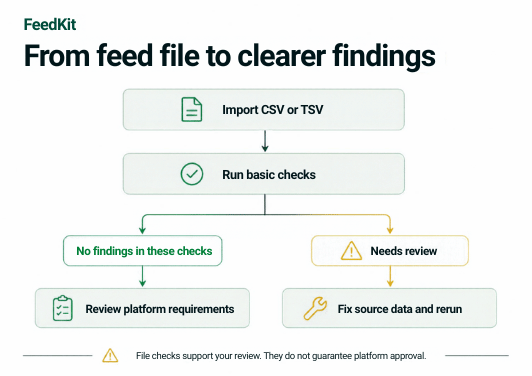

How to compare two feeds
- Upload or paste the original and updated CSV or TSV feeds with headers.
- Ensure both feeds contain nonempty, unique product IDs so records can be matched.
- Run the comparison, inspect before-and-after values and export the differences for review.
Understand the results
Each file is limited to 10 MB and 20,000 records. Matching is based on product ID, so a changed ID appears as a removal and an addition. The comparison does not decide whether a change is correct.